Check out our other flagship product — SIM-ON for building management and IoT control.
Read more
Check out SIM-ON
Read more
STAGES by SIMLAB logo
Stages logo transpartentProcore logo transparent

Turn Procore Data into 3D Project Insights

Manage RFIs, punch lists, and documents with full spatial context, linked directly to your 3D construction timeline. Give your team a visual layer of project intelligence that improves collaboration, reduces errors, and accelerates decision-making.

Do these headaches sound familiar?

icon check
Constant screen-switching between Procore and Matterport
icon check
Screenshot overload, yet still no spatial context

icon check
Duplicate data and manual syncs slowing the team
icon check
Field calls because no one knows where an issue really is

Real-Time Insights, Seamless Collaboration, Smarter Construction

STAGES + Procore integration provides real-time visibility, centralizes data, and streamlines workflows for construction projects. It enhances communication, prevents costly rework, automates admin tasks, and ensures teams work from the latest plans. Keep projects on track, mitigate risks, and improve efficiency with a unified platform for seamless collaboration between field and office teams.
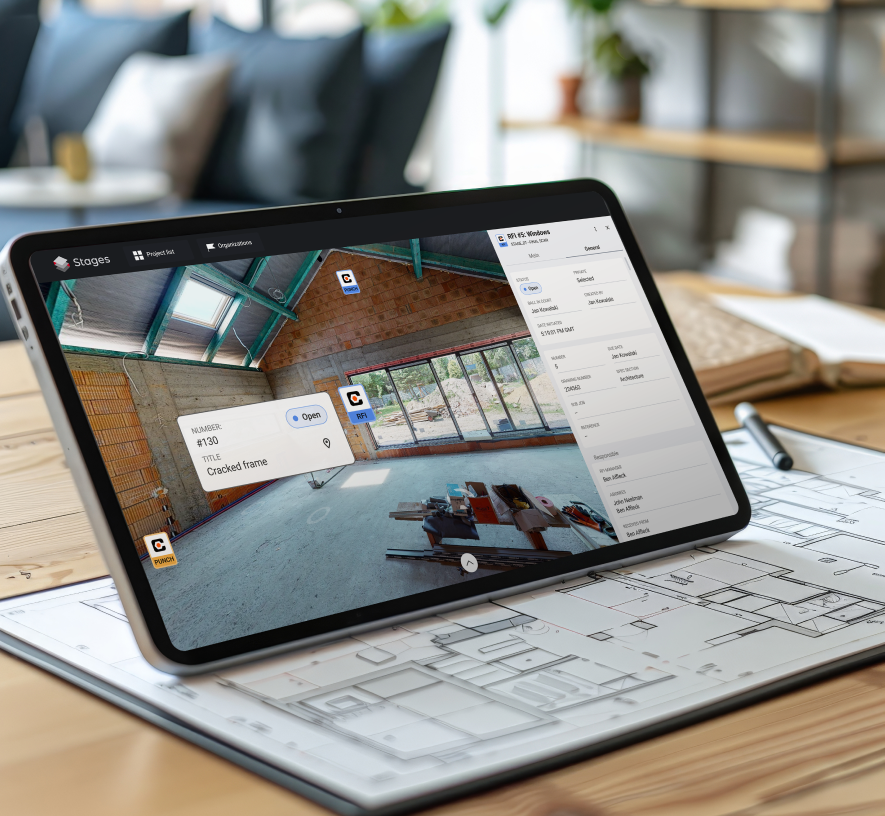
Tablet on architectural blueprint – displaying STAGES app with punch item highlighted in a 3D construction view – cracked frame issue visible – combining digital project tracking with physical planning documents

How it works

The Procore – STAGES integration lets users import RFIs, Punch List items, and documents from Procore into STAGES, placing them in a 3D Digital Twin (Matterport scans). It enables direct placement of RFIs and Punch List items, full access to Procore documents as attachments in geolocated tags, and improved collaboration with centralized data.

Stages logo with transparent backgroundProcore logo transparent
Ready to see your Procore data in 3D?
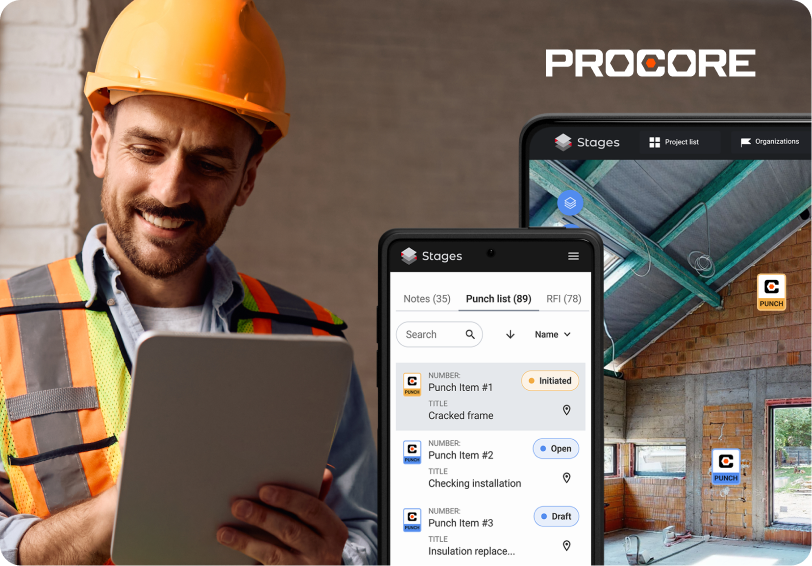
Smiling construction worker in safety gear – using tablet on-site with STAGES app – punch list overview displayed on smartphone and tablet screens – integrated with Procore – streamlining issue tracking and communication in the field

Streamline Information Requests Thanks To RFI Management

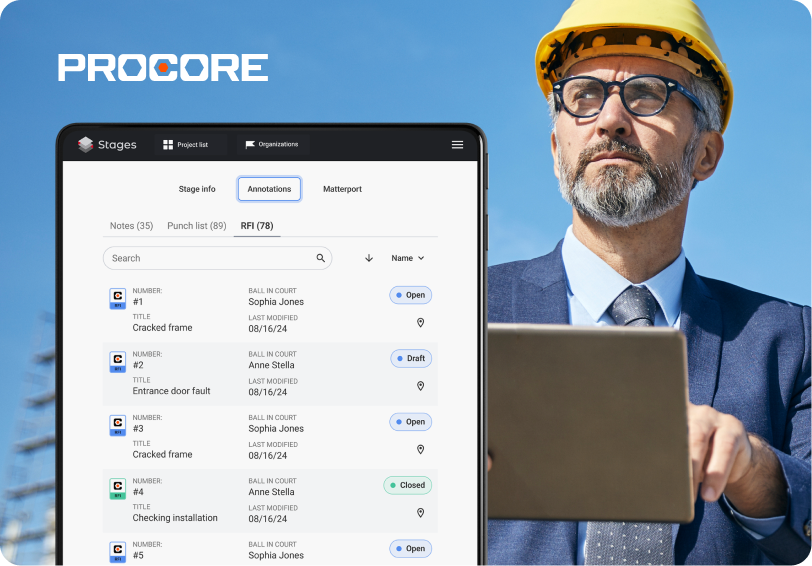
Effortlessly track and manage RFIs within your 3D environment. With Procore integration, all Requests for Information (RFIs) are automatically linked to their exact location in STAGES, providing clear context, faster resolutions, and seamless project communication.

Close Issues Faster With Punch List Tracking

Keep your project on schedule by managing Punch List items visually. STAGES allows you to view and track all Punch List tasks from Procore directly within your Matterport scan, ensuring every issue is identified, assigned, and resolved efficiently.
Construction manager in a suit and hard hat – using tablet on-site under blue sky – STAGES app integrated with Procore – managing RFIs and annotations in real-time – combining executive oversight with field precision
Feature
STAGES by SIMLAB logo
View Procore markers in 3D
icon check
icon check
Add / edit punch items in 3D
X logo
icon check
Full RFI workflow in 3D
X logo
icon check
Bidirectional data sync
X logo
icon check
Import of Procore documents
X logo
icon check
Compare View
X logo
icon check

Your Construction and Facility Management Data

Now in Augmented Reality

Our Mobile AR App brings your notes, RFI responses, and punch items directly into the physical space via Augmented Reality. Instead of combing through spreadsheets or dashboards, simply walk through the site and see critical data appear where it’s needed.
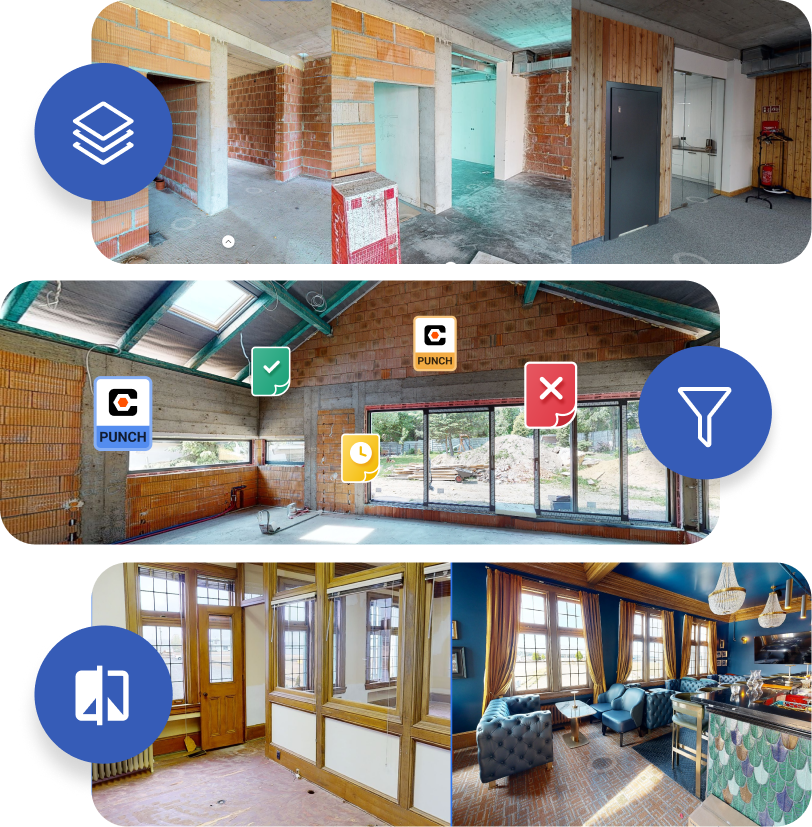
Three comparison views from the STAGES app – top: construction phases side-by-side with layering icon – middle: punch list markers with status filters in 3D view – bottom: before-and-after interior renovation – showcasing tracking, filtering, and visual progress features

Features Supporting Procore Data Analysis

Matterport Timeline – Visually track Procore project progress across 3D space and time, ensuring clear construction insights.
Annotations & Collaboration – Pinpoint feedback and manage issues with 3D-positioned tags, ensuring precise, context-aware communication within the digital twin environment.
Compare View – Instantly contrast different project versions, simplifying as-built vs. as-designed analysis.

Frequently asked questions

Roughly 5 minutes—log in, connect Procore, done.
No. STAGES respects your existing Procore user permissions.
OAuth 2.0, SOC 2 Type II hosting, encrypted in transit and at rest.
RFIs today; Submittals land in Q4 2025.
Email, in-app chat and phone (EN/PL) from 8 am – 6 pm CET.

⋆⋆⋆⋆⋆

“We cut punch-item close-out time by 49 %.”
Everyone works in one 3D model synced with Procore—no confusion, no re-entry.
— John Miller, Project Manager, ABC Construction

See STAGES in action—book your live demo

Leave your details and our team will reach out within 24 hours to schedule a call.
Discover use cases tailored to your industry
Request a personalized demo
Get detailed pricing information

    cross